 Edited by
Short answer
VRAM (video RAM) is the memory built onto a graphics card, right next to the GPU chip. It holds everything the GPU is working on: textures and frame buffers in games, and the weights and KV cache of an AI model. It is far faster than system RAM, with bandwidth from about 450 GB/s on an entry gaming card to 8 TB/s on a data-center GPU. If what you are doing does not fit in VRAM, performance falls off a cliff, so for local AI the amount of VRAM matters more than almost any other spec.
What VRAM means
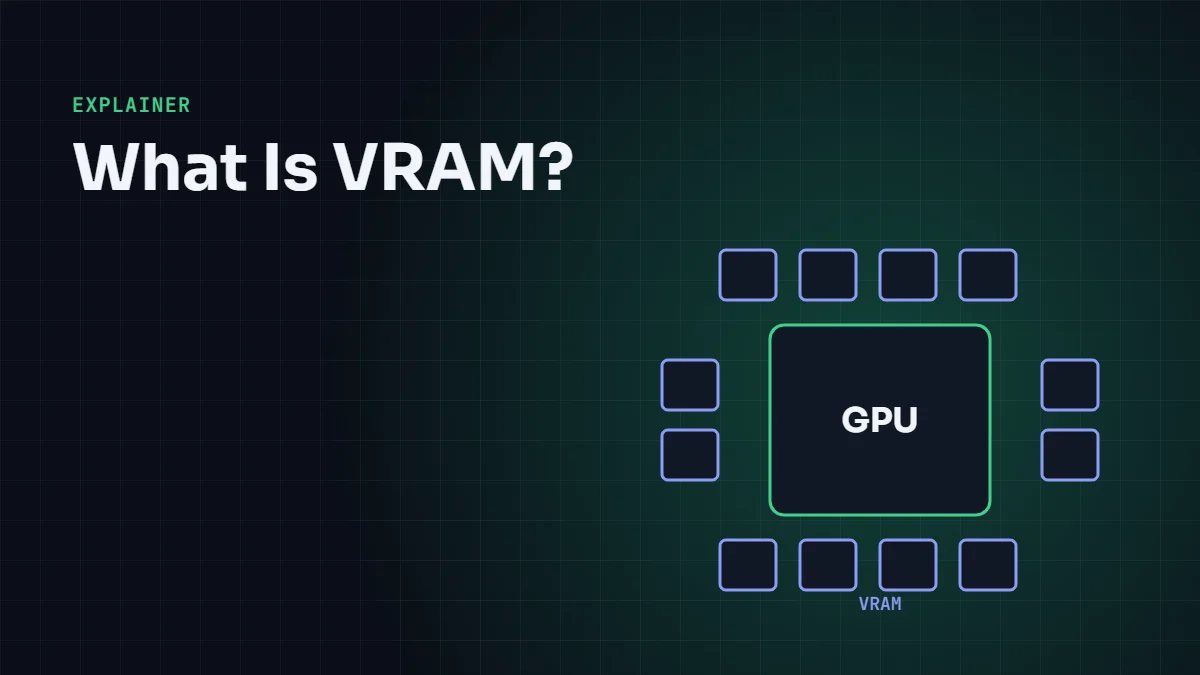
VRAM stands for video random-access memory. The name dates from the 1980s, when it was dedicated memory for drawing the picture on screen. Today the GPU uses it as its main working memory for any job, not just video. On a graphics card it sits in a ring of memory chips around the GPU die; on data-center accelerators like the H100 it is stacked HBM placed right beside the chip inside one package.
The GPU reads from VRAM constantly. A game reads textures, geometry and the frame being drawn. An AI model reads its weights for every token it generates. That is why VRAM has two numbers that matter: capacity (how many gigabytes fit) and bandwidth (how many gigabytes per second the GPU can read).
VRAM vs RAM: what is the difference?
Your computer has two separate pools of memory. System RAM belongs to the CPU and sits in slots on the motherboard. VRAM belongs to the GPU and sits on the graphics card. They are built for different jobs.
| VRAM (GPU memory) | System RAM (CPU memory) | |
|---|---|---|
| Used by | The GPU | The CPU and the operating system |
| Typical type | GDDR6, GDDR6X, GDDR7 or HBM3/HBM3e | DDR5 (or LPDDR5X in laptops) |
| Bandwidth | About 450 GB/s to 8 TB/s | About 60 to 120 GB/s on a dual-channel desktop |
| Typical size | 8 to 32 GB on consumer cards, 80 to 288 GB on data-center GPUs | 16 to 128 GB |
| Upgradeable | No, it is soldered to the card | Usually yes |
The bandwidth gap is the key. A dual-channel DDR5-6000 desktop moves about 96 GB/s. An RTX 5090 moves 1,792 GB/s from its VRAM, nearly 19 times more. The GPU has thousands of cores that all need data at once, so it needs a much wider and faster memory system than the CPU does.
When a program asks the GPU to use more memory than the card has, the driver can spill into system RAM over PCIe. That link is slow compared with VRAM (about 64 GB/s each way for PCIe 5.0 x16), so the job keeps running but becomes many times slower. In games this shows up as stutter; in AI it shows up as tokens per second dropping from dozens to a handful.
Types of VRAM: GDDR vs HBM
There are two families of graphics memory. Both are DRAM; they differ in how the chips connect to the GPU.
- GDDR (graphics double data rate) chips sit on the circuit board around the GPU. Each chip has a 32-bit connection, and a card's bus width is the number of chips times 32. GDDR7 runs at 28 to 30 Gbps per pin on current cards. It is used on gaming and workstation GPUs because it is cheaper.
- HBM (high-bandwidth memory) stacks DRAM dies vertically and places the stacks beside the GPU in the same package. Each stack has a 1,024-bit interface, so a GPU with six or eight stacks has a bus thousands of bits wide. It is expensive and used on data-center accelerators. Read what is HBM for how it is built.
You can work out any card's bandwidth with one formula: bus width in bits, divided by 8, times the data rate per pin in Gbps. For the RTX 5090: 512 ÷ 8 × 28 = 1,792 GB/s.
| GPU | VRAM | Memory type | Bandwidth |
|---|---|---|---|
| GeForce RTX 5060 Ti 16 GB | 16 GB | GDDR7, 128-bit | 448 GB/s |
| GeForce RTX 5080 | 16 GB | GDDR7, 256-bit | 960 GB/s |
| GeForce RTX 4090 | 24 GB | GDDR6X, 384-bit | 1,008 GB/s |
| GeForce RTX 5090 | 32 GB | GDDR7, 512-bit | 1,792 GB/s |
| NVIDIA H100 SXM | 80 GB | HBM3 | 3.35 TB/s |
| NVIDIA H200 | 141 GB | HBM3e | 4.8 TB/s |
| AMD Instinct MI355X | 288 GB | HBM3e | 8 TB/s |
Dedicated vs shared GPU memory
Windows Task Manager shows two figures for a GPU. Dedicated GPU memory is the real VRAM on the card. Shared GPU memory is a slice of system RAM, usually up to half, that the GPU is allowed to borrow when VRAM runs out. It is not extra VRAM; it is the slow overflow described above.
Integrated graphics, such as Intel Arc graphics in a laptop CPU or AMD Radeon graphics in a Ryzen APU, have no VRAM of their own. They reserve part of system RAM and share its bandwidth with the CPU. Apple silicon Macs work the same way but with much faster memory: an M4 Max reaches 546 GB/s of unified memory bandwidth, and the GPU can use most of the total memory, which is why Macs with 64 GB or more are popular for running large models.
How to check how much VRAM you have
- Windows: open Task Manager (Ctrl + Shift + Esc), go to Performance, select your GPU and read "Dedicated GPU memory". You can also run
dxdiagand look at "Display Memory" on the Display tab. - NVIDIA GPUs on any system: run
nvidia-smiin a terminal. It shows total memory, how much is in use and which programs are using it. - AMD GPUs: open AMD Software: Adrenalin Edition and look under Performance, or use
rocm-smion Linux. - Mac: Apple menu → About This Mac shows total memory. The GPU shares it.
How much VRAM do you need for gaming?
At 1080p, 8 GB still runs most games, but several recent titles already exceed it at high texture settings. For new cards in 2026, 12 GB is a sensible minimum for 1080p and 1440p, and 16 GB gives headroom for 1440p with ray tracing. At 4K with maximum textures, 16 GB is the practical floor and 24 to 32 GB is comfortable. Texture quality is the setting that uses the most VRAM; lowering it one step usually fixes stutter caused by running out.
How much VRAM do you need for AI?
For AI, VRAM decides which models you can run at all. A language model's weights must fit in VRAM, plus room for the KV cache (the model's short-term memory of the conversation) and some working space.
The weights are easy to estimate: number of parameters times bytes per parameter.
- FP16 or BF16: 2 bytes per parameter, so an 8-billion-parameter model needs about 16 GB.
- 8-bit: 1 byte per parameter, so about 8 GB.
- 4-bit quantization (GGUF Q4_K_M, AWQ, GPTQ): about 0.55 to 0.6 bytes per parameter in practice, so about 5 GB.
Then add 10 to 20% for the KV cache and overhead at normal context lengths, more if you use very long contexts. Read LLM quantization explained and KV cache explained for the details, or use our VRAM calculator to get a number for any model.
| VRAM | What runs comfortably (4-bit unless noted) |
|---|---|
| 8 GB | 7B to 8B models; Stable Diffusion 1.5 and SDXL with optimizations |
| 12 GB | Up to about 14B models; SDXL and Flux at reduced precision |
| 16 GB | Up to about 20B to 24B models; 8B models at 8-bit |
| 24 GB | Up to about 32B models; 8B models at full FP16 |
| 32 GB | 32B models with long context; some 70B models at 3-bit |
| 48 GB+ | 70B models at 4-bit; larger mixture-of-experts models |
Why bandwidth matters as much as capacity
Capacity decides whether a model fits. Bandwidth decides how fast it runs. When a language model generates text one token at a time, the GPU must read every active weight from VRAM for every token. A rough upper limit on speed is bandwidth divided by model size: an RTX 5090 reading a 5 GB 4-bit model can, in theory, produce about 1,792 ÷ 5 ≈ 360 tokens per second, and in practice around half to two-thirds of that. This is why token generation is called memory-bound. Our LLM inference simulator shows this in action.
It is also why data-center GPUs use HBM. Serving many users at once means reading huge models and large KV caches constantly, and HBM delivers several times the bandwidth of GDDR.
Frequently asked questions
Is 8 GB of VRAM enough in 2026?
For esports titles and 1080p gaming at medium settings, yes. For new AAA games at high textures, 8 GB is increasingly tight. For AI, 8 GB runs 7B to 8B language models at 4-bit, but little beyond that.
Can I increase VRAM?
Not on a dedicated graphics card; the memory chips are soldered on. On integrated graphics you can sometimes raise the reserved amount in BIOS or, on some AMD laptops, in the driver, but it still uses slower system RAM. The only real upgrade is a card with more VRAM.
Does VRAM affect FPS?
Only when you run out. Having more VRAM than a game uses does not raise frame rates. Having less causes stutter, texture pop-in and sharp FPS drops as data is swapped over PCIe.
Is VRAM the same as GPU memory?
Yes. VRAM, GPU memory, graphics memory and video memory all mean the memory attached to the GPU. "Shared GPU memory" in Windows is different: it is system RAM.
Why do data-center GPUs have so much more VRAM?
Large AI models have hundreds of billions of parameters, and serving them to many users needs room for big KV caches. An H200 has 141 GB and an MI355X has 288 GB of HBM, and even then large models are split across eight or more GPUs.
Sources and further reading
- NVIDIA, GeForce RTX 50 Series specifications
- NVIDIA, H200 Tensor Core GPU
- AMD, Instinct MI355X specifications
- JEDEC, GDDR7 standard (JESD239)



Leave a Reply