 Edited by
Short answer
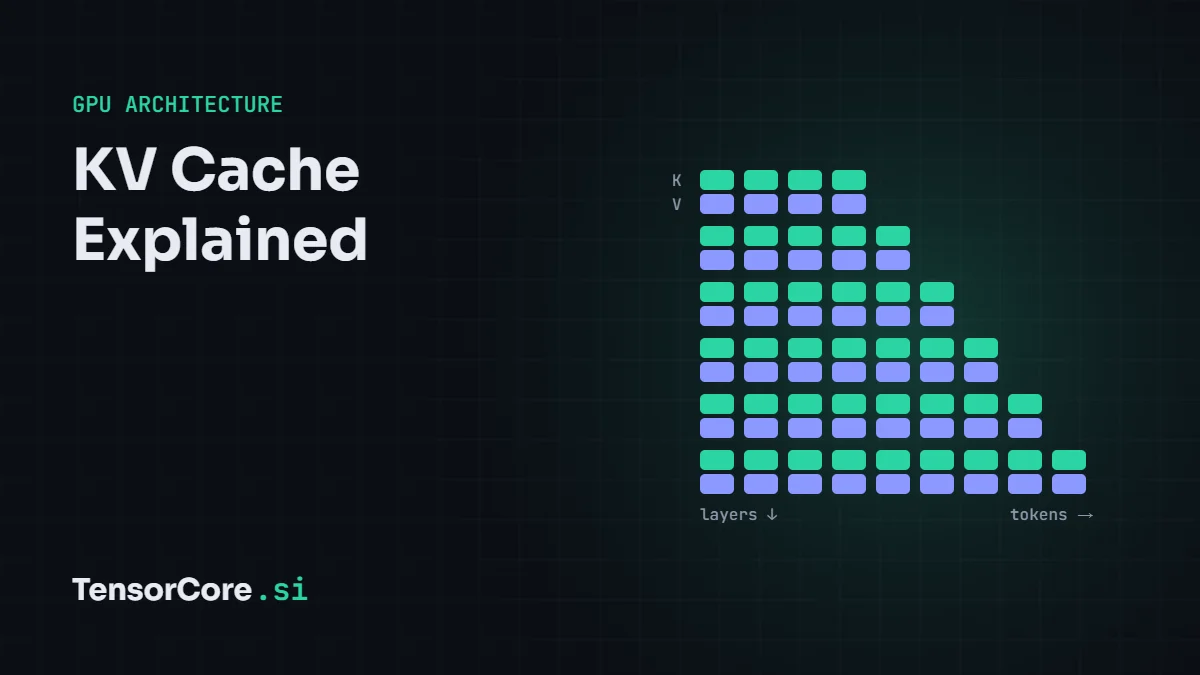
The KV cache stores the key and value vectors of every token a language model has already processed, so it does not recompute them for each new token. It makes generation fast, but it grows with every token of context and every concurrent user: KV cache size = 2 × layers × KV heads × head size × tokens × bytes. For Llama 3.1 70B that is about 320 KB per token in FP16, or 43 GB for a full 128K-token context. Techniques such as grouped-query attention, FP8 caches and PagedAttention keep it manageable.
Why language models need a KV cache
A transformer generates text one token at a time. To produce each new token, its attention layers compare the new token's query with the keys of every earlier token and then mix their values. Those keys and values never change once computed, so instead of recalculating them for the whole conversation on every step, the model saves them. That saved data is the KV cache.
Without it, generating token number 10,000 would mean reprocessing the previous 9,999 tokens. With it, each step only computes one new token and reads the cache. The cost is memory: the cache lives in GPU memory next to the model weights.
How big is the KV cache?
Every layer stores one key vector and one value vector per KV head for every token:
KV cache bytes = 2 × layers × KV heads × head dimension × tokens × batch × bytes per value
For Llama 3.1 8B (32 layers, 8 KV heads, head dimension 128) in FP16 (2 bytes): 2 × 32 × 8 × 128 × 2 = 131,072 bytes, or 128 KB per token. A 32K-token conversation therefore needs 4.3 GB of cache, and serving 16 such users at once needs about 69 GB, far more than the model's 16 GB of weights.
KV cache for popular models
| Model | Layers × KV heads × head size | Per token (FP16) | 32K tokens | 128K tokens |
|---|---|---|---|---|
| Llama 2 7B (no GQA) | 32 × 32 × 128 | 512 KB | 17.2 GB | – |
| Llama 3.1 8B | 32 × 8 × 128 | 128 KB | 4.3 GB | 17.2 GB |
| Qwen2.5 7B | 28 × 4 × 128 | 56 KB | 1.9 GB | 7.5 GB |
| Qwen3 32B | 64 × 8 × 128 | 256 KB | 8.6 GB | 34.4 GB |
| Llama 3.1 70B | 80 × 8 × 128 | 320 KB | 10.7 GB | 42.9 GB |
| DeepSeek-V3 (MLA) | 61 layers × 576 compressed values | about 69 KB | 2.3 GB | 9.2 GB |
MHA, GQA, MQA and MLA
The biggest lever on KV cache size is how many key and value heads a model keeps:
- Multi-head attention (MHA): every query head has its own key and value head. Llama 2 7B uses 32 of each, so its cache is large.
- Grouped-query attention (GQA): several query heads share one key/value head. Llama 3 uses 8 KV heads for 32 or 64 query heads, cutting the cache by 4–8×.
- Multi-query attention (MQA): all query heads share a single key/value head, the smallest cache but with some quality cost.
- Multi-head latent attention (MLA): used by DeepSeek-V2 and V3, it stores a compressed latent vector per token instead of full keys and values, shrinking the cache further while keeping quality.
Some models also use sliding-window attention on part of their layers (Gemma 2 alternates 4,096-token windows; gpt-oss alternates 128-token windows), so those layers only cache recent tokens.
Why the KV cache limits speed
Each generated token must read the model weights and the entire KV cache for that sequence. At short contexts the weights dominate. At long contexts the cache can be larger than the weights, and generation slows down because the GPU spends its time moving cache data through memory rather than doing math on its Tensor Cores. In servers, the KV cache also caps how many users fit on a GPU at once, which directly sets the cost per request.
How to shrink the KV cache
| Technique | What it does | Typical saving |
|---|---|---|
| FP8 or Q8 KV cache | Stores keys and values in 8 bits instead of 16 | 2× |
| Q4 KV cache (llama.cpp) | 4-bit keys and values with block scales | About 3.5×, some quality cost |
| PagedAttention (vLLM) | Allocates the cache in small pages instead of one big block per request, so little memory is wasted | Much higher batch sizes |
| Prefix caching | Shares the cache for identical prompt beginnings, such as a system prompt, across requests | Depends on overlap |
| Shorter context | Only reserve as many tokens as you need | Linear |
In llama.cpp, for example, the cache precision is set with the cache-type options for keys and values, and the context size with the context option; inference servers such as vLLM offer an FP8 KV cache setting.
Frequently asked questions
Does the KV cache affect output quality?
In FP16 it gives exactly the same results as recomputing. An FP8 cache is usually indistinguishable; 4-bit caches can slightly reduce quality, especially on long contexts.
Why does my model run out of memory with a long prompt?
Many runtimes reserve the KV cache for the full context size you set when the model loads. Lower the context length or use an 8-bit cache to free memory.
Is the KV cache the same as the context window?
The context window is the maximum number of tokens a model can attend to. The KV cache is the memory that holds those tokens' keys and values while it does.
Next, see which hardware fits your context in the LLM VRAM calculator, pick hardware in the best GPU for running LLMs locally, or learn how weights shrink in LLM quantization explained.
Sources and further reading
- Ainslie et al., GQA: Training Generalized Multi-Query Transformer Models (2023)
- Shazeer, Fast Transformer Decoding: One Write-Head is All You Need (2019)
- Kwon et al., Efficient Memory Management for LLM Serving with PagedAttention (2023)
- DeepSeek-AI, DeepSeek-V2 and multi-head latent attention (2024)
- Meta, The Llama 3 Herd of Models (2024)


Leave a Reply